Brand identity
Use your logo, app icon, splash screen, fonts and monochrome or custom brand palette.
Launch fully white-labelled iOS and Android apps with your own identity, secure course delivery, live classes and real-time progress sync.
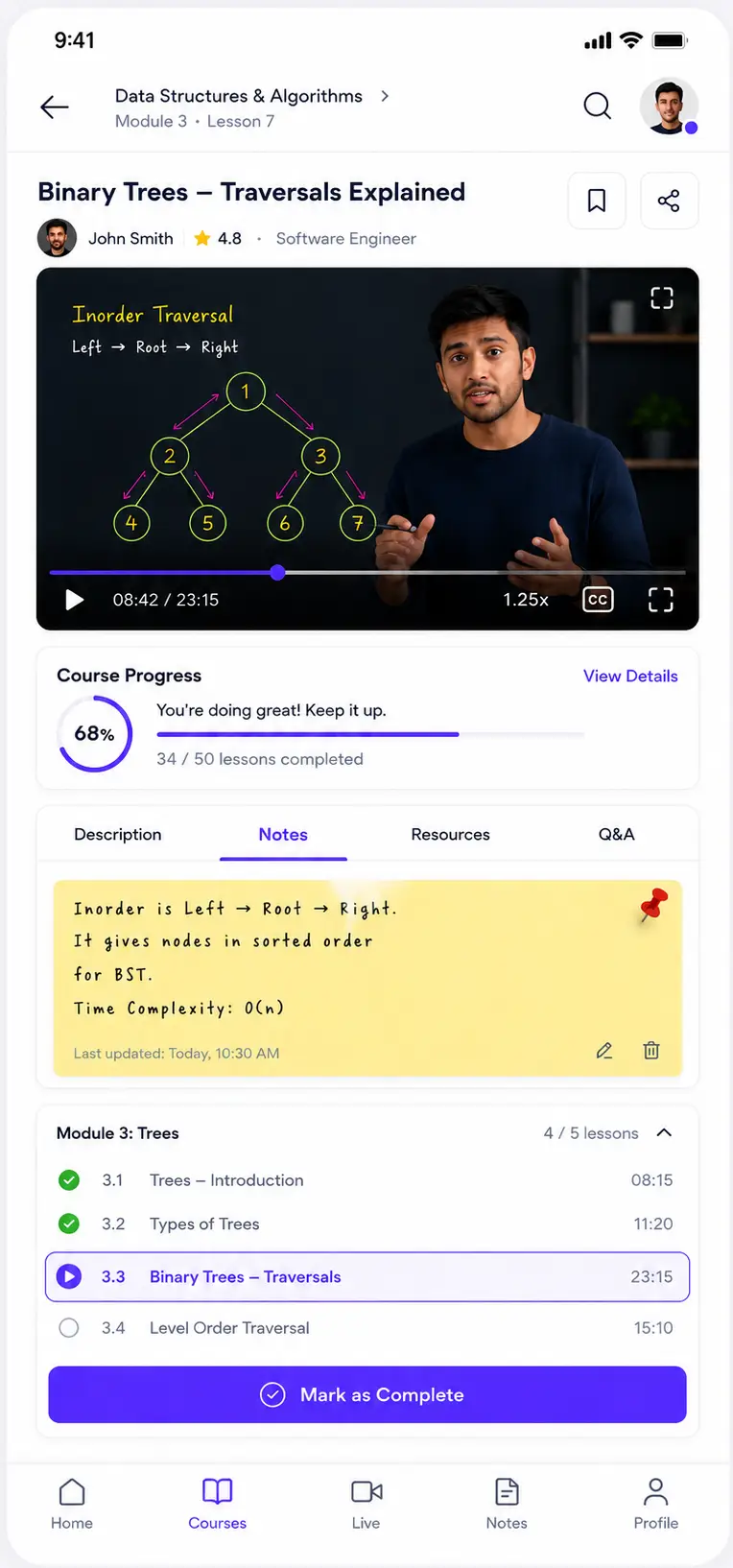
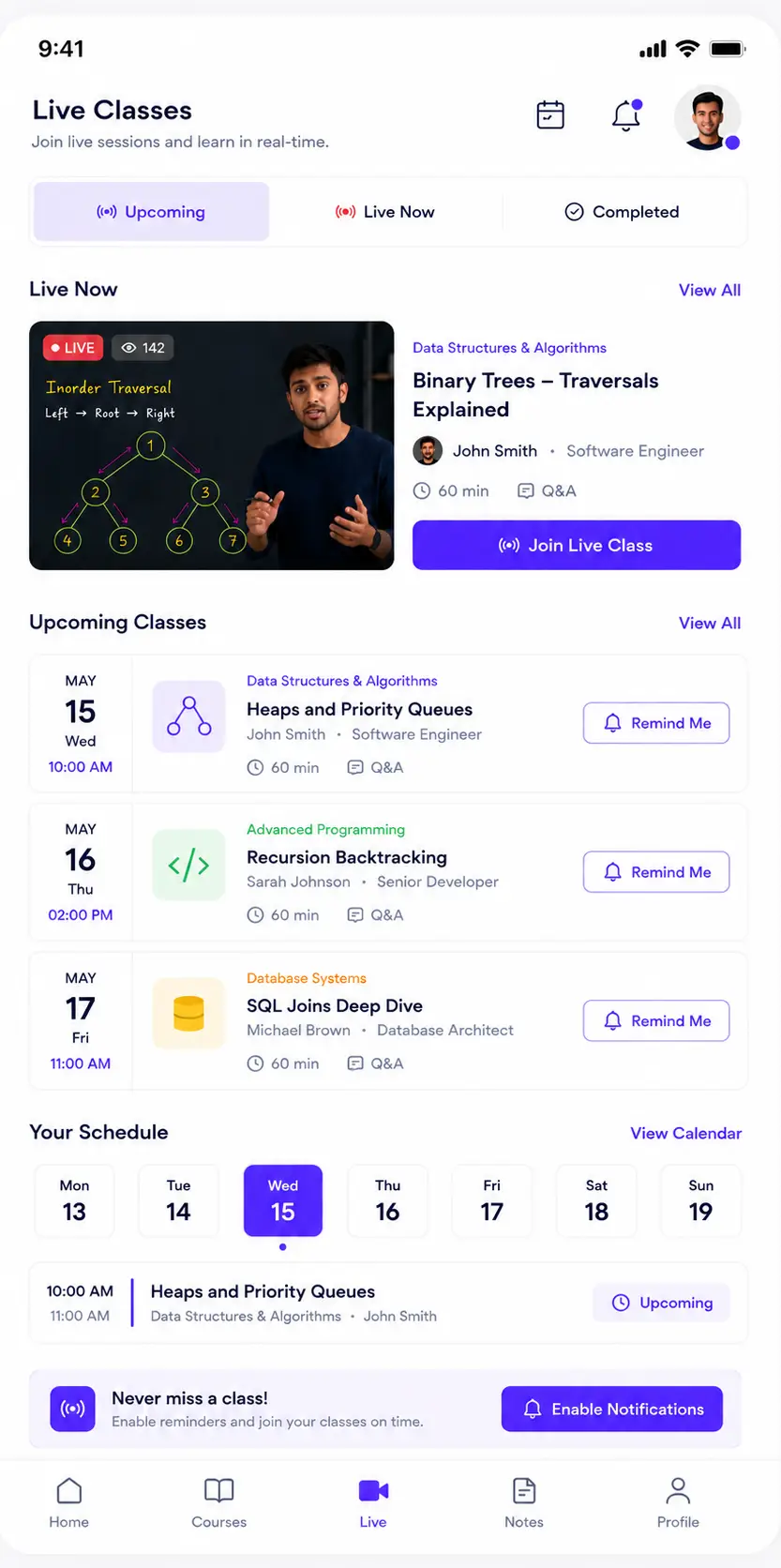
Every learner-facing touchpoint can carry your identity—from the app icon and launch screen to navigation, typography and store listing.
Use your logo, app icon, splash screen, fonts and monochrome or custom brand palette.
Publish under your business identity with your screenshots, description and support details.
Arrange banners, featured courses, categories, live classes and announcements without a redesign.
Keep mobile and web experiences aligned through the same courses, users, payments and analytics.
A focused interface helps learners resume lessons, manage resources, submit work and join live sessions without unnecessary complexity.
Video, lesson notes, downloadable resources and progress controls stay together so learners never lose context.
Playback controls
Speed, quality, captions and resume position.
Synced notes
Personal notes available across app and web.
Lesson resources
PDFs, worksheets, links and supporting files.
Structured playlist
Modules, lessons, completion and prerequisites.
CURRENT LESSON
PROGRESS
61% complete
RESOURCES
4 files
NOTES
7 saved
Learners can see upcoming sessions, receive reminders, enter the classroom and revisit recordings from the same course timeline.
Schedule and reminders
Calendar-ready classes with push alerts before start.
Interactive sessions
Audio, video, chat, screen sharing and attendance.
Recording library
Completed sessions can appear inside the course.
LIVE NOW
Quizzes, timed examinations and assignment submissions are optimised for mobile while remaining connected to instructor review workflows.
Timed quizzes
Question navigation, timer and auto-submit.
File submissions
Upload documents, images or supported media.
Instant results
Scores, explanations and pass criteria.
Certificates
Access eligible certificates from profile.
QUESTION 6 OF 10
Which principle helps create a clear visual hierarchy in an interface?
Learners can raise doubts, share supported files and continue instructor conversations without moving to an unrelated messaging app.
Course-linked discussions
Questions retain course and lesson context.
Rich attachments
Share documents, images, audio and supported media.
Support tickets
Track academic or account issues from one inbox.
Riya · Instructor
Usually replies in 15 minutes
Grid-vs-flexbox.pdf
1.8 MB
Layered controls help reduce unauthorised access and redistribution while keeping legitimate learning simple.
Screen-capture deterrence
Recording controls and capture detection are applied where supported by the operating system.
Device and session controls
Limit active devices and revoke suspicious or old sessions.
Dynamic watermarking
Display learner-identifying information over protected content.
Secure delivery
Signed access, encrypted transport and controlled content permissions.
Automated and targeted communication helps learners stay aware of classes, deadlines, new content and milestones.
Send announcements to all learners or selected courses, batches and audiences.
Notify learners before live sessions, exams, assignment deadlines and renewals.
Encourage learners to resume incomplete lessons and maintain study momentum.
Display important notices, new course launches and operational updates inside the app.
Celebrate completions, assessment success and certificate eligibility.
Localise learner-facing labels and content presentation for supported languages.
Learners receive a familiar experience on both ecosystems while your courses, users and analytics remain unified.
Designed for iPhone and iPad experiences
Help protect your content with capture restrictions and download controls where supported.
Adapt course browsing and learning to larger screens.
Deliver class, deadline and announcement alerts.
Configure eligible subscription or enrolment flows according to store requirements.
Optimised for phones and tablets
Responsive layouts for varied screen sizes and densities.
Help protect your content with capture restrictions and download controls where supported.
Deliver class, deadline and announcement alerts on Android devices.
Configure applicable enrolment and subscription flows for Play policies.
Update content, manage access, schedule communication and review learner activity without maintaining a separate mobile administration workflow.
User and batch control
Enrol, suspend or organise learners centrally.
Learning analytics
Track activity, completion and assessment data.
Feature configuration
Control downloads, modules and learner access.
Campaign delivery
Schedule push notices by audience.
Mobile app analytics
ACTIVE LEARNERS
2,486
Across mobile apps
LESSONS COMPLETED
8,942
This period
AVG. PROGRESS
74%
Active courses
Weekly learning activity
Lesson opens and completions
Core capabilities stay consistent across iOS and Android, with platform-specific adaptations where required.
Share your logo, app name, visual identity and store information.
Configure navigation, modules, security rules and purchase flows.
Validate content, devices, accounts, notifications and learner flows.
Submit your iOS and Android apps and prepare for learner onboarding.
Important considerations for branding, publishing, updates and learner access.
Discuss your branding, course structure, security requirements and publishing plan with our team.